
Adding Nutanix cluster to Prism Central is extremally easy, few clicks and you are done. Removing, however, is not that easy. Little commend line exercise needs to be involved in order to properly remove Nutanix cluster from Prism Central
From CVM ncli command line run following commands.
to get cluster ID
multicluster get-cluster-state
to enable remove function in the command line
ncli -h true
to remove the cluster from Prism Central, execute below command with parameters
multicluster remove-from-multicluster
<ncli> multicluster get-cluster-state

    Cluster Id                : 18259f01-7d07-4918-bef3-57832ee4eb0e
    Cluster Name              : Unnamed
    Is Multicluster           : true
    Controller VM IP Addre... : [10.4.89.29, 10.4.89.28, 10.4.89.30]
    External or Masqueradi... : 10.4.89.32
    Controller VM NAT IP A... :
    Marked for Removal        : false
    Remote Connection Exists  : true
<ncli> multicluster remove-from-multicluster external-ip-address-or-svm-ips=10.4.89.32 username=admin password=Passw@rd1 force=true
Cluster unregistration is currently in progress. This operation may take a while.

    Status                    : true
<ncli> multicluster get-cluster-state
    [None]
<ncli>
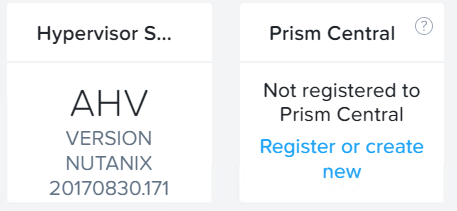
Nutanix cluster is not registered to Prism Central anymore
Only one cluster left in Prism Central inventory
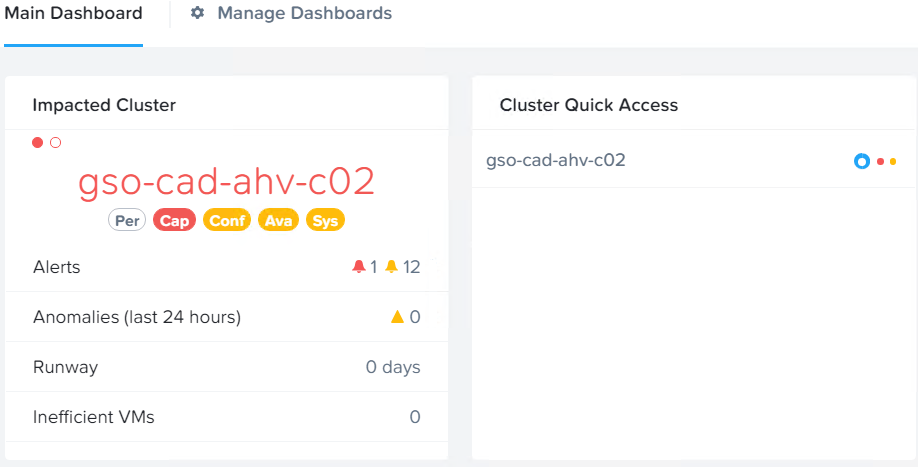
To complete operation you have to run few commands from prism Central command line
First, get Nutanix cluster ID (the one you’ve removed from Prism Central) execute below command from ncli on one of the CVM’s
cluster get-params
<ncli> cluster get-params

    Cluster Id                : 0005776c-b598-a079-0000-000000007e92::32402
    Cluster Uuid              : 0005776c-b598-a079-0000-000000007e92
    Cluster Name              : gso-cad-ahv-c02
    Cluster Version           : 5.10
    Cluster Full Version      : el7.3-release-euphrates-5.10-stable-0b8f0499cf6cfbca7596baaeced35259c02a21d9
    External IP address       : 10.4.91.39
    Node Count                : 3
    Block Count               : 1
    Shadow Clones Status      : Enabled
    Has Self Encrypting Disk  : no
    Cluster Masquerading I... :
    Cluster Masquerading PORT :
    Is LTS                    : false
    External Data Services... : 10.4.91.100
    Support Verbosity Level   : BASIC_COREDUMP
    Lock Down Status          : Disabled
    Password Remote Login ... : Enabled
    Timezone                  : UTC
    NCC Version               : ncc-3.6.3
    Common Criteria Mode      : Disabled
    Degraded Node Monitoring  : Enabled
<ncli>
SSH to Prism Central VM and run Python script which will clean Prism Central database.
nutanix@NTNX-10-4-89-29-A-CVM:~$ python /home/nutanix/bin/unregistration_cleanup.py <cluster id>
If you had Nutanix CALM enabled on the cluster you removed form Prism Central, follow this link to official Nutanix documentation.
Unregister Nutanix cluster from Prism Central if connectivity to PC is lost or PC was deleted prior unregistered.
Log in to Nutanix cluster via SSH and run
nutanix@cvm$ ncli multicluster get-cluster-statesample output from the command you can see below
nutanix@CVM:~$ ncli multicluster get-cluster-state

    Cluster Id                : 80039af3-0758-4022-beaf-32dd8e83a958
    Cluster Name              : Unnamed
    Is Multicluster           : true
    Controller VM IP Addre... : [10.1.1.10]
    External IP Address       :
    Marked for Removal        : false
    Remote Connection Exists  : true
nutanix@CVM:
Next, delete multicluster state and check out multicluster state. Multicluster state should return [None].
ncli multicluster delete-cluster-state cluster-id=<cluster_ID>Sample output from both commands
nutanix@CVM:~$ ncli multicluster delete-cluster-state cluster-id=80039af3-0758-4022-beaf-328e83a958
Cluster state deleted successfully
nutanix@:~$ ncli multicluster get-cluster-state
    [None]
nutanix@CVM:~$