
Few days back Nutanix engineering released Nutanix Xtract VM in version 1.1.4. Focus was to provide several BUG fixes and improve product stability. For a full list of changes, see useful links section at the bottom of the post.
I decided to provide guidance on how to upgrade in place Nutanix Xtract VM. Just in case someone can’t find it in official Nutanix documentation ;-).
- Download and unzip Nutanix Xtract VM package
- From command line browse to the extracted folder and run command:
.\binary_name -i <Xtract VM IP address>
- Provide password for nutanix user
NOTE: default password is Nutanix/4u! - After successful authentication, run command:
(Xtract for VMs) » software update
Below you can find a snap from Nutanix Xtract VM upgrade command line window. Entire process shouldn’t take longer than 2 – 3 minutes. Obviously, all settings, created migration plans will be preserved.
PS D:\downloads\Nutanix\xtract-vm-1.1.4-release> .\cli-windows-amd64-1.1.4.exe -i 10.1.174.31

Welcome to the Nutanix 'Xtract for VMs' version 1.1.4

Storing logs in directory C:\Users\ARTUR~1.KRZ\AppData\Local\Temp\4\xtract-vm
Connecting to 'Xtract for VMs' hostname/IP address 10.1.174.31 using username nutanix
10.1.174.31 (Xtract for VMs) » software update
Enter password for 'Xtract for VMs' user nutanix(11):
Image is already present as a local file ./xtract-vm-1.1.4-1.x86_64.rpm, nothing to download...
 160.61 MiB / 160.61 MiB [================================================================] 100.00% 17.64 MiB/s 9s ETA
Uploaded 168409131 bytes

Loaded plugins: fastestmirror
Examining /tmp/xtract-vm-1.1.4-1.x86_64.rpm: xtract-vm-1.1.4-1.x86_64
Marking /tmp/xtract-vm-1.1.4-1.x86_64.rpm as an update to xtract-vm-1.1.3-1.x86_64
Resolving Dependencies
--> Running transaction check
---> Package xtract-vm.x86_64 0:1.1.3-1 will be updated
---> Package xtract-vm.x86_64 0:1.1.4-1 will be an update
--> Finished Dependency Resolution

Dependencies Resolved

================================================================================
 Package        Arch        Version        Repository                      Size
================================================================================
Updating:
 xtract-vm      x86_64      1.1.4-1        /xtract-vm-1.1.4-1.x86_64      387 M

Transaction Summary
================================================================================
Upgrade  1 Package

Total size: 387 M
Downloading packages:
.
.
.
● xtractforvmsapidocs.service - Xtract for VMs API documentation service
   Loaded: loaded (/etc/systemd/system/xtractforvmsapidocs.service; enabled; vendor preset: disabled)
   Active: ←[1;32m←[Kactive (running)←[m←[K since Tue 2018-05-08 16:23:42 UTC; 3s ago

● upgradeserver.service - Xtract for VMs upgrade service
   Loaded: loaded (/etc/systemd/system/upgradeserver.service; enabled; vendor preset: disabled)
   Active: ←[1;32m←[Kactive (running)←[m←[K since Mon 2018-03-19 16:00:39 UTC; 1 months 19 days ago
←[36m←[K--←[m←[K
           ├─133150 /bin/sh /var/tmp/rpm-tmp.IUaJDl 2
           ├─133448 systemctl status upgradeserver
           └─133449 grep --color=always ←[1;32m←[Kactive (running)←[m←[K -B2

Completed running post-upgrade script...
  Cleanup    : xtract-vm-1.1.3-1.x86_64                                     2/2
  Verifying  : xtract-vm-1.1.4-1.x86_64                                     1/2
  Verifying  : xtract-vm-1.1.3-1.x86_64                                     2/2

Updated:
  xtract-vm.x86_64 0:1.1.4-1

Complete!

Upgrade from version 1.1.3 to 1.1.4 completed [OK]
10.1.174.31 (Xtract for VMs) »
- Log in to Nutanix Xtract Web UI and verify version
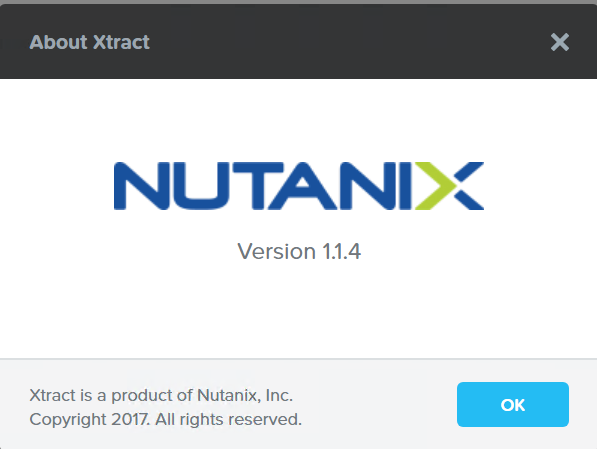
Nutanix Xtract VM 1.1.4



Thanks. Worked like a charm