
For migration from VMware vSphere to Nutanix AHV, please use Nutanix Move (Free V2V tool, developed by Nutanix)
Today, next part of my migration series – Migrate Windows 2008 R2 from vSphere to Nutanix Acropolis.
So far you could read and watch:
- Migrate Windows 2012R2 from Citrix XenServer to Nutanix AHV
- Migrate RHEL 6.5 from ESXi to Nutanix AHV
- Migrate Suse Linux from VMware ESXi to Nutanix AHV in minutes
- Migrate Windows 2012R2 server from ESXi to AHV in 5 minutes
- Migrate Linux RHEL 6.5 from XenServer to Nutanix AHV
Pre-requisites:
- Nutanix Acropolis hypervisor (AHV) in at least 20150921 build
- Nutanix NOS on at least 4.1.5.X, version 4.5.X preferable
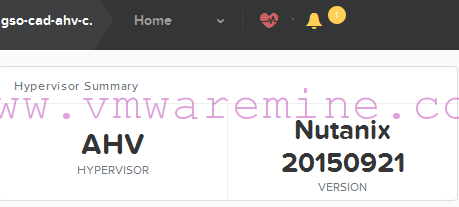
Nutanix Acropolis Hypervisor version
- Nutanix virtIO drivers – you can download it from Nutanix portal
- Nutanix IO drivers installed on Windows 2008 R2
- Mounted AHV container to vSphere
- remove all snapshots from VM
Migration
- Log in to Windows and set up san policy to online. After migration to Acropolis, all disks will become online after boot.
- run CMD as Administrator and run:
- diskpart
- san policy = onlineall
- exit
- run CMD as Administrator and run:
- storage vMotion Windows server onto Nutanix Acropolis container
- Shutdown Windows server
- Log in to Prism Element and create new VM
- Add new disk and make sure you choose:
- TYPE: DISK
- OPERATION: CLONE FROM ADSF FILE
- BUS TYPE: SCSI
- PATH: start with / and move on to container and VM folder to -flat.vmdk
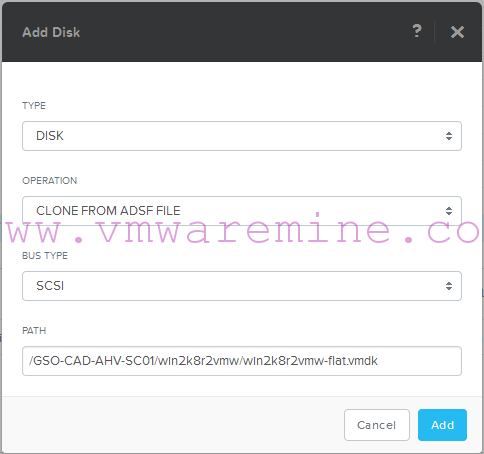
Add disk into Acropolis VM
NOTE: repeat add disk procedure for all VM disks
- add vNIC and connect it to proper vLAN
Post-Migration tasks
- Power VM on
- log in using console
- set up IP address
- remove VMware tools and any other VMware related software
DONE 🙂
Check out video below.



Hi Artur, unfortunately it won’t let me install the virtio drivers because a SHA-2 related windows update is missing. After installing the update, it keeps saying it’s missing. Have you come across this before?
Thanks,